Common TV Reception Problems In Port Macquarie And How To Fix Them
A clear picture can disappear at the worst possible time. One moment the news, sport or favourite evening program is running smoothly, then the screen freezes, breaks into blocks or drops out completely. For many households and small businesses, TV issues feel random, but most reception problems have a practical cause. When you understand how your TV antenna system works, it becomes much easier to decide what you can check yourself and when to call a professional.
If you're having signal issues with a TV antenna in Port Macquarie residents can discover helpful hints in this guide. It is designed for homeowners, renters, new residents, retirees, DIY troubleshooters and businesses that rely on reliable viewing. Some fixes are simple, such as checking cables or retuning channels. Others involve roof-mounted equipment, signal testing or replacement parts. The key is knowing where to start, what to avoid and how to prevent small faults from becoming ongoing frustrations.
Pixelated Pictures Often Point To Weak Signal
Pixelation usually appears as blocky images, frozen frames or sound that cuts in and out. It can happen during certain weather conditions, after moving furniture, when a cable is loose or when the TV antenna in Port Macquarie is not receiving enough signal. A weak signal does not always mean the antenna is broken. Sometimes the issue is caused by an ageing wall plate, damaged coaxial cable, poor splitter quality or a TV that needs to be retuned after channel changes.
Start with the easiest checks before assuming the antenna needs replacing. Look at the cable from the wall to the TV, make sure it is firmly connected and inspect it for bends, cracks or loose ends. Then run an automatic channel scan through the TV menu.
Simple checks can help narrow down the problem:
- Tighten all TV cable connections
- Try a different antenna lead
- Retune the TV channels
- Check another TV point
- Note when pixelation occurs
No Signal Messages Need A Step-By-Step Check
A “no signal” message can feel more serious, but it often comes from something basic. The TV may be on the wrong input, the antenna cable may have slipped out or a set-top box may have lost power. In rental homes, previous occupants may have used streaming devices, pay TV equipment or different wall outlets, leaving the setup confusing for new residents. Before changing settings randomly, work through the system in order.
Start at the TV, then move backwards through the cables, wall point and any connected devices. Check whether the TV is set to “TV” or “DTV” rather than HDMI. If you use a set-top box, make sure it is powered on and connected properly. Once everything is secure, complete a channel scan.
A clear process avoids unnecessary changes:
- Confirm the correct input
- Check power to all devices
- Reconnect the antenna lead
- Restart the TV
- Run an auto-tune
Weather Can Reveal Hidden Antenna Problems
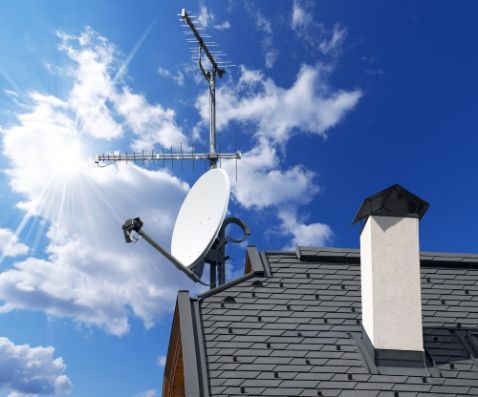
Wind, rain and storms do not always cause reception issues directly, but they can expose weaknesses in the antenna system. A slightly loose TV antenna in Port Macquarie may move in strong wind. Water may enter old connectors. Corroded fittings may work on dry days, then fail when moisture is present. If reception only drops out during bad weather, the system may already be struggling and the weather simply pushes it past its limit.
Outdoor components are exposed every day, so deterioration is normal over time. Rusted brackets, cracked plastic housings and worn seals can all affect performance. Checking these areas from the ground may show obvious movement or damage, but climbing onto a roof without the right equipment is risky.
Weather-related faults usually have visible or testable causes:
- Loose antenna mounting
- Water-damaged connections
- Corroded outdoor fittings
- Damaged coaxial cable
- Poor antenna alignment
Poor Sound Can Come From Reception Or Equipment
Sound issues can be confusing because the picture may look acceptable while audio drops, echoes or disappears. In digital TV systems, sound and picture faults often share the same cause: inconsistent signal quality. However, sound problems can also come from TV settings, external speakers, soundbars, set-top boxes or damaged HDMI cables. This is why it is worth testing the audio through the TV speakers before assuming the antenna is at fault.
Turn off external audio equipment and check whether the sound improves. Then test different channels. If only one channel has the issue, it may not be a household antenna problem. If several channels are affected, the signal or internal cabling may need attention.
Sound faults are easier to diagnose when checked separately:
- Test TV speakers only
- Try multiple channels
- Restart connected devices
- Check audio settings
- Replace suspect cables
Multiple TVs Can Strain An Older System
A home or business with more than one TV may need more than a basic antenna connection. Splitting the signal across several outlets reduces strength at each point, especially if the splitter is low quality or the cabling is old. One room may work well while another struggles, leading people to blame the TV rather than the distribution system. This is common in larger homes, waiting rooms, offices and cafes where several screens operate at once.
A proper multi-room setup may require better cabling, a suitable splitter, an amplifier or a full signal assessment. Adding boosters without testing can make things worse if the problem is signal quality rather than strength. The aim is to distribute a clean signal evenly, not simply force more power through a poor system.
Shared systems need the right balance:
- Check each TV outlet
- Compare room performance
- Avoid cheap splitters
- Test without extra devices
- Use amplifiers carefully
New TVs Still Need Correct Tuning
A new TV does not automatically solve reception problems. In fact, new residents or households replacing an older screen may notice issues because the setup has changed. Some TVs have different tuners, menus or sensitivity levels. A TV moved from another property may still hold old channel information, which can cause missing stations or duplicated channels. A full retune is often the first practical step.
Make sure the antenna cable is connected before running the scan. Choose digital free-to-air channels and allow the process to complete fully. Avoid interrupting the scan, even if channels appear early. After tuning, delete duplicate or weak channels if the TV menu allows it.
New setups work best with a clean scan:
- Connect the antenna first
- Select digital TV tuning
- Complete the full scan
- Remove duplicate channels
- Save the strongest results
DIY Fixes Have Limits Around Roof Equipment
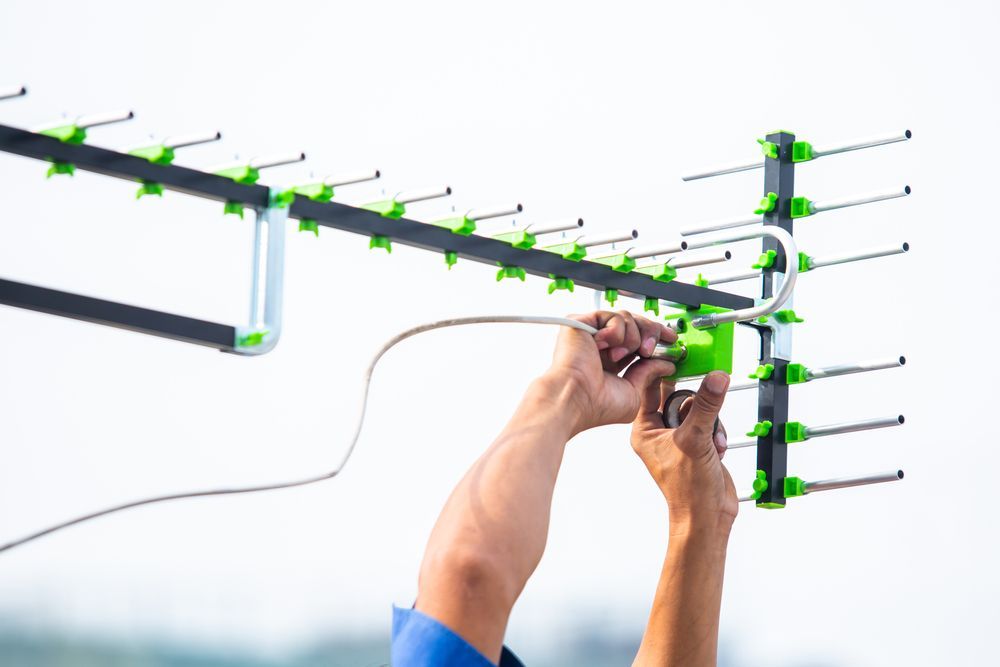
DIY troubleshooting is useful for indoor checks, but antenna work on the roof is different. Adjusting an antenna without a signal meter can make reception worse, even if the direction looks right. Roof access also brings fall risks, electrical hazards and the chance of damaging tiles, gutters or mounting hardware. Renters also need to be careful, as altering fixed antenna equipment may breach lease conditions.
The safest DIY approach is to focus on accessible items: TV settings, indoor leads, wall plates and device connections. If the problem points to the antenna, mast, cabling in the roof space or external fittings, professional testing is the safer choice. A technician can measure signal strength and quality, identify interference and recommend repair or replacement only where needed.
Keep DIY work to safe areas:
- Check indoor cables
- Retune channels
- Test another TV
- Photograph visible damage
- Avoid roof climbing
Professional Testing Finds The Real Fault
When reception problems keep returning, guessing can become expensive. Replacing a TV, buying boosters or changing cables may not help if the fault is outside, inside the wall or caused by signal interference. Professional antenna testing gives a clearer answer because it measures the actual signal at different points in the system. This helps identify whether the issue is antenna alignment, damaged cabling, poor connections, outlet faults or unsuitable equipment.
A proper diagnosis is especially useful for homes with repeated dropouts, businesses with customer-facing screens or older properties with unknown wiring. It also helps new residents set up their TV correctly from the beginning. The goal is not always a full replacement. Sometimes a targeted repair, new connector or better outlet is enough.
Expert testing can prevent guesswork:
- Measures signal quality
- Locates cable faults
- Checks antenna alignment
- Tests wall outlets
- Recommends practical repairs
Get Clear Reception With Local Support
We at A1 Antenna Doctor help residents and businesses in Port Macquarie resolve TV reception issues with practical antenna repairs, installation and signal testing. Whether the problem is pixelation, missing channels, storm-related dropouts or a setup that has never worked properly, contact us to book a service or call for clear advice on the next step.